How to Automate Instagram DMs Using Zextra (Step-by-Step Guide)
Learn how to turn Instagram comments into automated DMs, generate leads, and scale your audience using Zextra's powerful automation tools.

TL;DR
Instagram creators, coaches, and brands receive dozens or even hundreds of comments and messages daily. Responding manually can quickly become overwhelming.
That's where Zextra comes in.
Zextra allows you to automatically reply to Instagram comments, send DMs, capture leads, and grow your audience — all without manual effort.
In this guide, we'll walk through the entire process of using Zextra:
- Signing up
- Connecting Instagram
- Creating your first automation
- Setting keywords and DM responses
- Launching the automation
- Managing leads and referrals
Let's get started.
Getting Started with Zextra
The first step is creating an account.
Visit the official website: https://zextra.io
Once you arrive at the login page, you'll see multiple options to sign in:
- Continue with Google
- Continue with Phone
- Login using Email and Password
After entering your credentials, click Sign In to access your workspace.
Quick Setup After Signup

Once logged in, Zextra may ask a short onboarding question such as:
"How did you hear about us?"
Options include:
- Google Search
- X (Twitter)
- Friend / Colleague
- Other
This helps Zextra understand how users discover the platform.
Connecting Your Instagram Account

The next step is connecting your Instagram account.
Click Connect Instagram, and you will be redirected to Instagram to authorize access.
Once the authorization is complete:
- Your Instagram account will be linked
- Zextra can now automate comments and messages
- You'll return to the Zextra dashboard to continue setup
Zextra is a Meta Business Partner, ensuring secure integration with Instagram.
Exploring the Zextra Dashboard
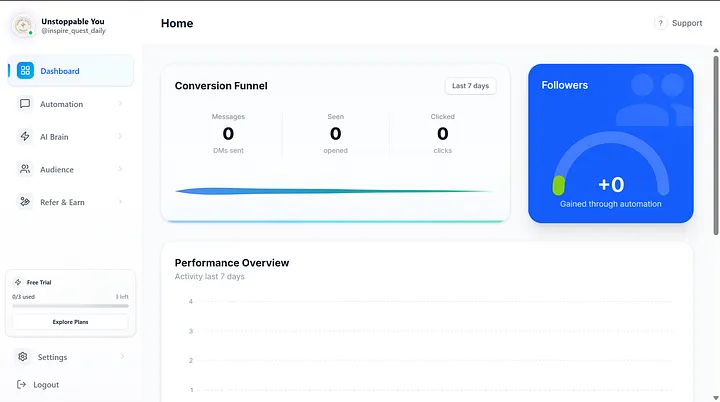
After connecting your Instagram account, you'll see the main dashboard.
The dashboard provides key metrics such as:
Conversion Funnel
Tracks the performance of your automation:
- Messages sent
- Messages opened
- Clicks generated
Followers Growth
Shows how many followers were gained through automation.
Performance Overview

Displays activity data for the last 7 days.
Creating Your First Automation
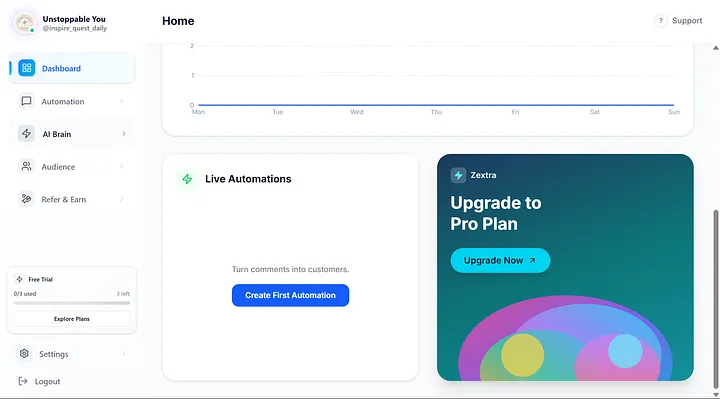
Inside the dashboard, you'll see the Live Automations section.
Click:
Create First Automation
A popup window will appear asking for an Automation Name.
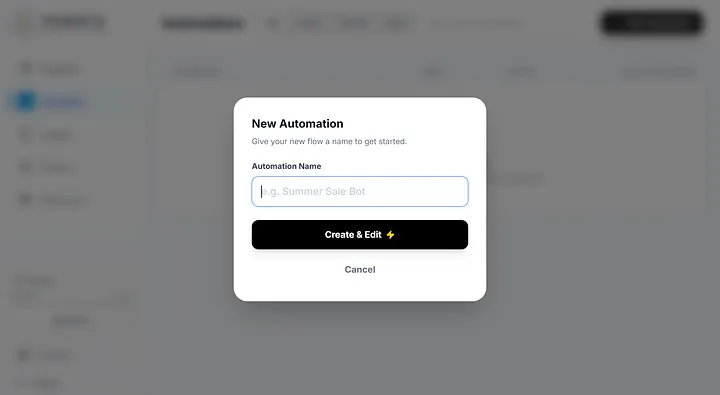
Example names:
- Lead Magnet Bot
- Free Guide Automation
- Course DM Funnel
Click Create & Edit to start building your automation.
Step 1: Select a Post or Reel
The first step is selecting which Instagram post or reel will trigger the automation.

You can choose:
- A specific post
- A reel
- Or enable Any Post or Reel
When users comment on the selected content, the automation will start.
Step 2: Setup Keywords

Keywords determine when the automation triggers.
Example keywords:
- nice
- price
- link
- info
When someone comments one of these keywords on your post, Zextra automatically activates the automation.
Keywords are case-insensitive, meaning:
"Price", "price", or "PRICE" will all work.
Step 3: Write the Opening Message
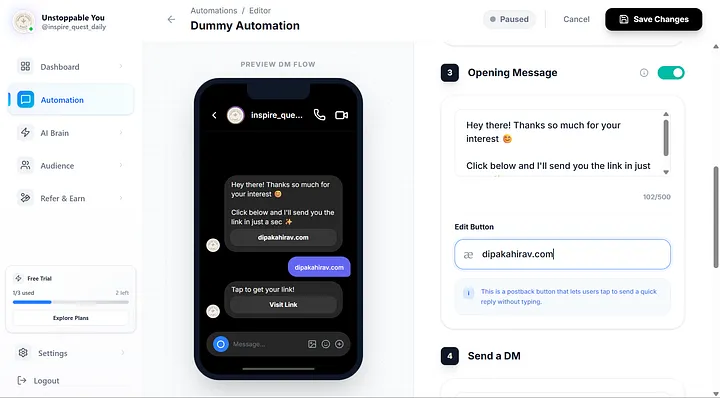
Next, create the opening message that users will receive.
Example message:
Hey there! Thanks so much for your interest 😊
Click below and I'll send you the link in just a sec ✨
You can also add quick reply buttons such as:
- Get Link
- Learn More
- Claim Offer
These make it easier for users to interact with the automation.
Step 4: Send a DM with Your Link
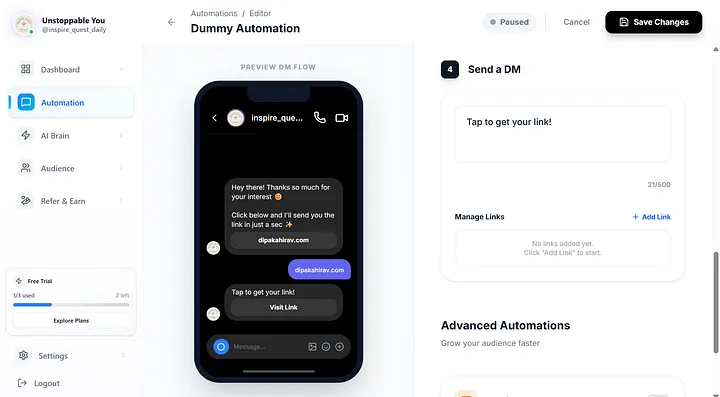
The final step is configuring the DM message.
Example:
Tap to get your link!
Then attach your link using Add Link.
This could be:
- Your website
- A product page
- A lead magnet
- A course
- An affiliate link
Publishing the Automation
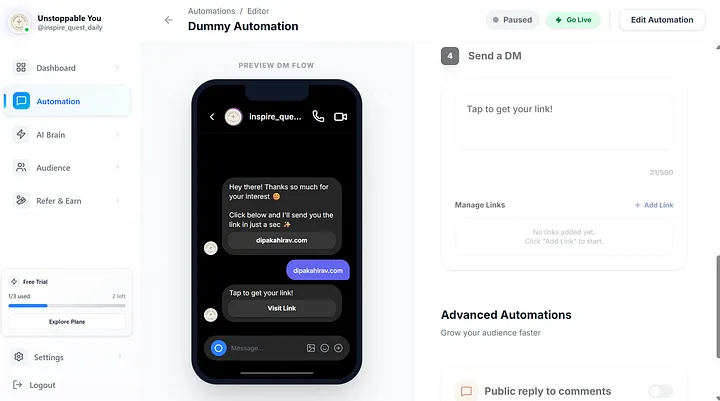
Once everything is configured:
- Click Save Changes
- Click Go Live
A confirmation message will appear:
"Automation is Live!"
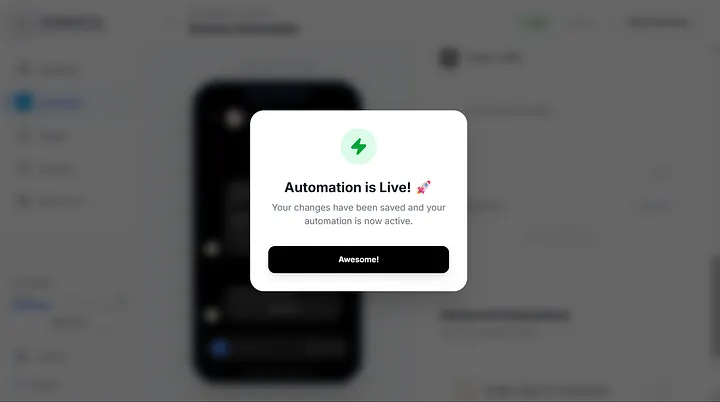
Your automation is now active.
Whenever someone comments using your keywords, they'll automatically receive your DM.
Managing Automations
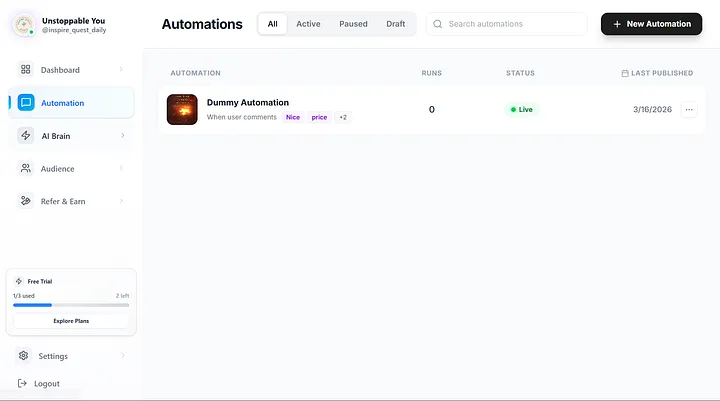
In the Automations tab you can:
- View all automations
- Check status (Live / Paused / Draft)
- Monitor number of runs
- Edit or update workflows
Tracking Leads and Audience
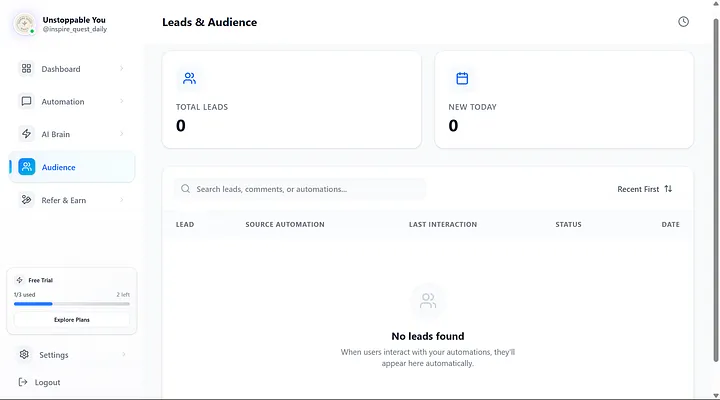
Zextra also tracks your generated leads.
The Audience section displays:
- Total leads captured
- New leads today
- Interaction history
This helps you understand how users engage with your automation.
Earn with the Zextra Referral Program
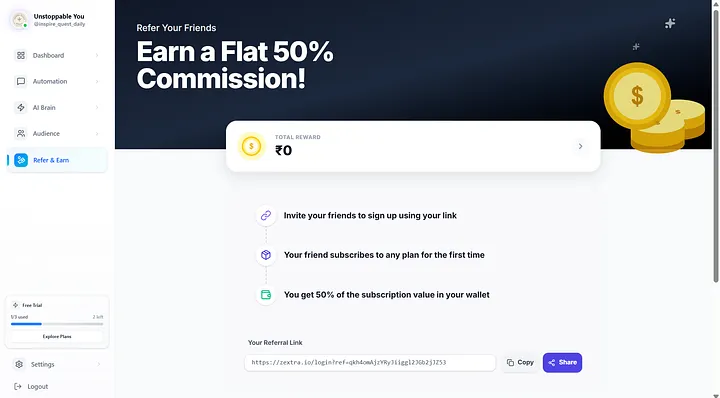
Zextra also offers a referral program.
You can earn 50% commission when someone signs up using your referral link and subscribes.
Steps:
- Share your referral link
- Your friend signs up
- They subscribe to a plan
- You receive 50% commission
Final Thoughts
Instagram automation is becoming essential for creators and businesses that want to scale without spending hours replying to comments and messages.
With Zextra, you can:
- Automatically respond to comments
- Send personalized DMs
- Capture leads from Instagram
- Grow your audience faster
- Monetize with referral commissions
Whether you're a creator, coach, marketer, or business owner, Zextra helps turn engagement into conversions.
Frequently Asked Questions
Most users go from signup to their first live automation in under 2 minutes. Connect Instagram, pick a post, set a keyword, write a message, and click Go Live.
Yes. You can set automations to trigger on comments from specific posts, reels, or enable 'Any Post or Reel' to cover all your content.
Zextra offers a flat 50% commission when someone signs up using your referral link and subscribes to a paid plan.
Enjoyed this article?
Share it with your network and help others automate.
Written by Zextra Editorial Team
We're passionate about helping businesses grow through intelligent automation. Our team combines expertise in social media, AI, and business strategy to deliver actionable insights you can implement today.
Start Automating FreeMore like this
Continue reading with these related articles
Instagram DM Automation: The Complete Guide for Businesses (2026)
Discover how automated workflows can capture leads, reply instantly, and scale your business without the burnout.
How Instagram DM Automation Helps You Generate Leads on Autopilot
Turn likes into leads. Learn how to set up automated conversations that qualify prospects and book calls while you sleep.
Don't Miss What We're Building
We're building powerful Instagram automation for creators & businesses. Get product updates and growth insights.
No spam. Unsubscribe anytime.